Webhook Setup
The Webhooks integration is configured from the Integrations page in the SIPSIM dashboard. Follow these steps to start receiving real-time event notifications.
Prerequisites
- A SIPSIM account with at least one active phone number
- An HTTPS endpoint on your server ready to receive
POSTrequests
1. Connect
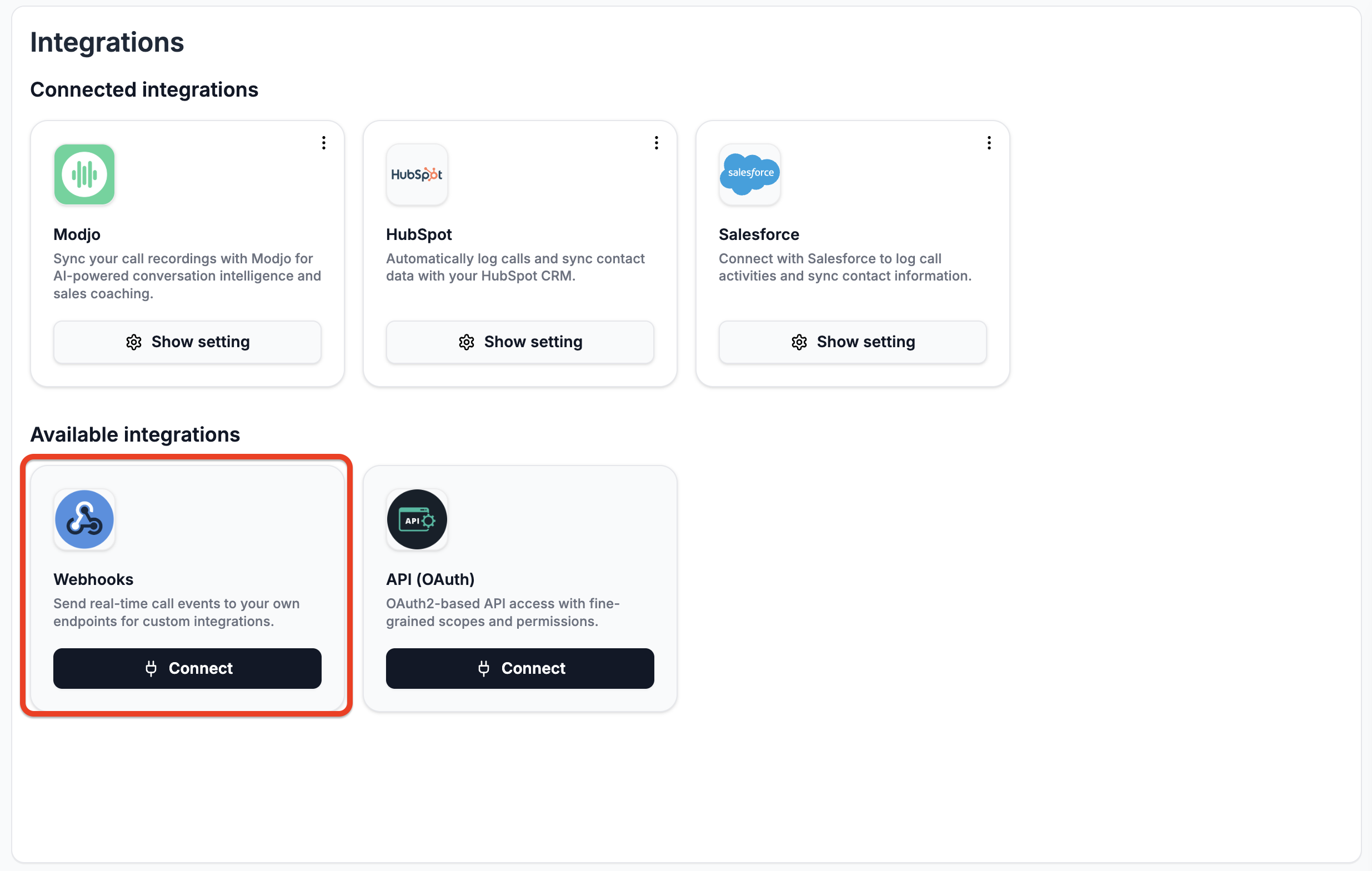
Navigate to Integrations and find the Webhooks card. Click Connect.
2. Configure Your Endpoint
Enter your Webhook URL — the HTTPS endpoint on your server that will receive events.
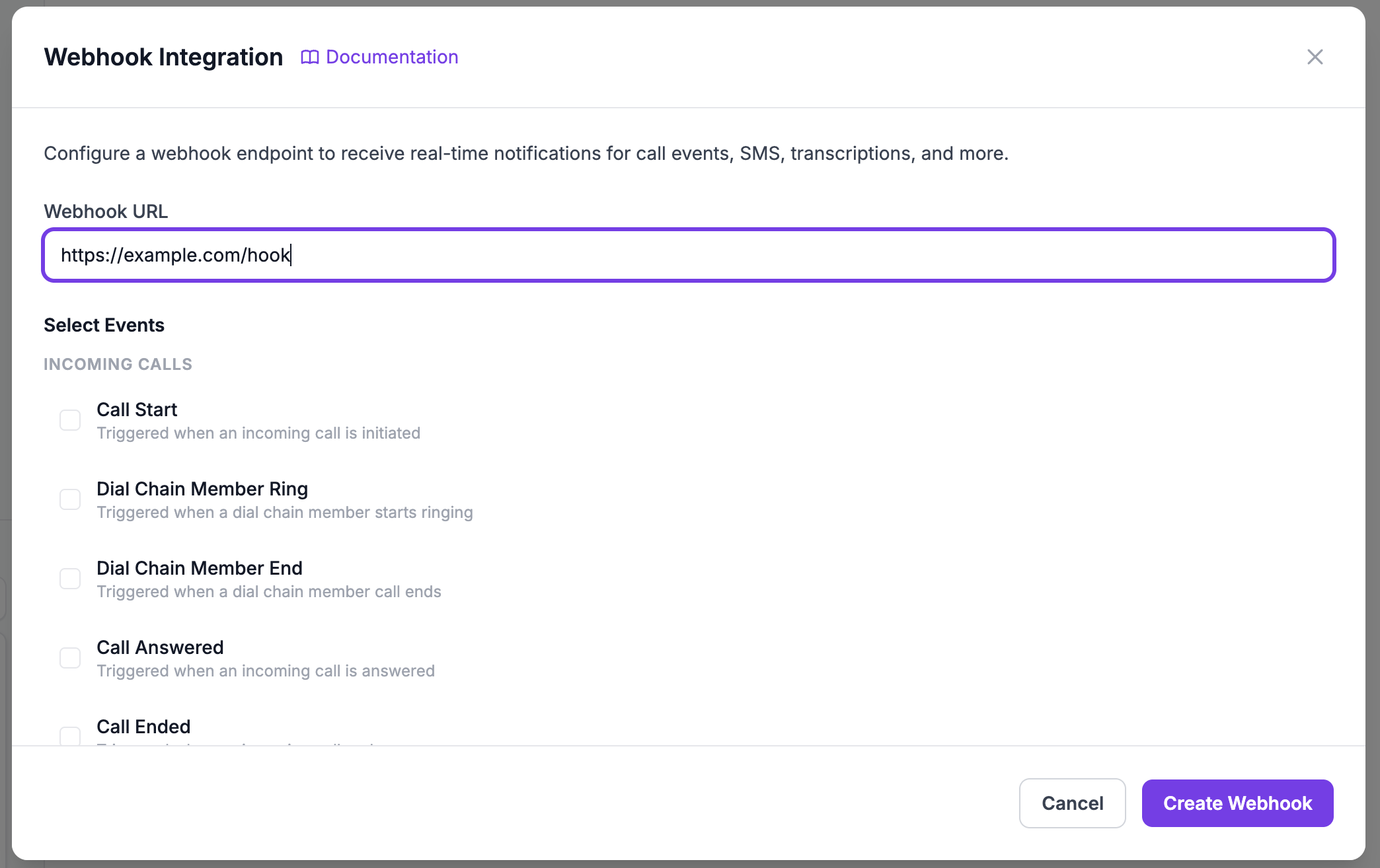
Your webhook URL must use HTTPS. HTTP endpoints are not supported for security reasons.
3. Select Events
Choose which events you want to receive. You can enable or disable individual events at any time.
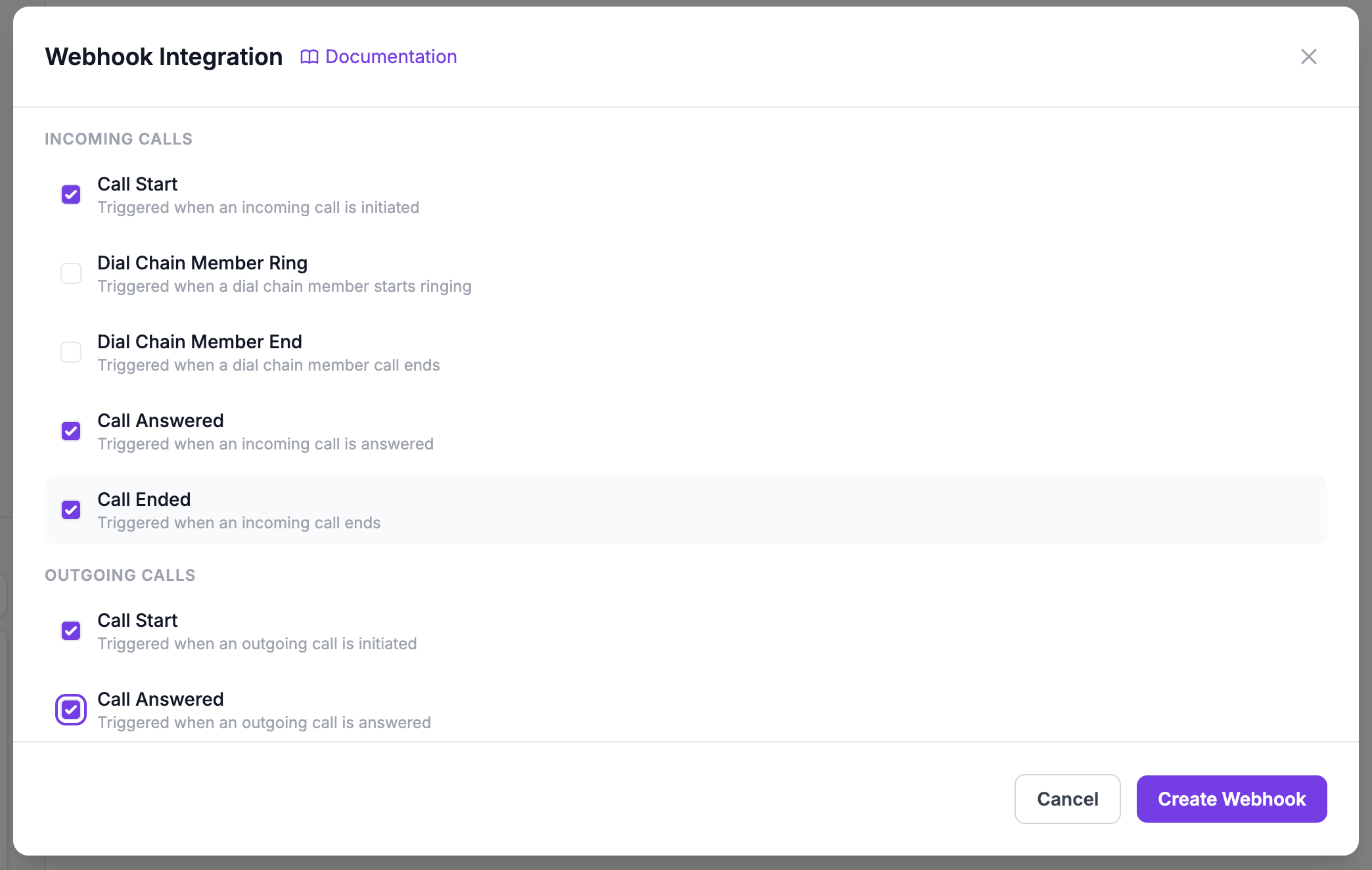
See the Event Reference for a full list of available events.
4. Save Your Signing Secret
After creation, a signing secret is displayed once. Copy it and store it securely — you will need it to verify webhook signatures.
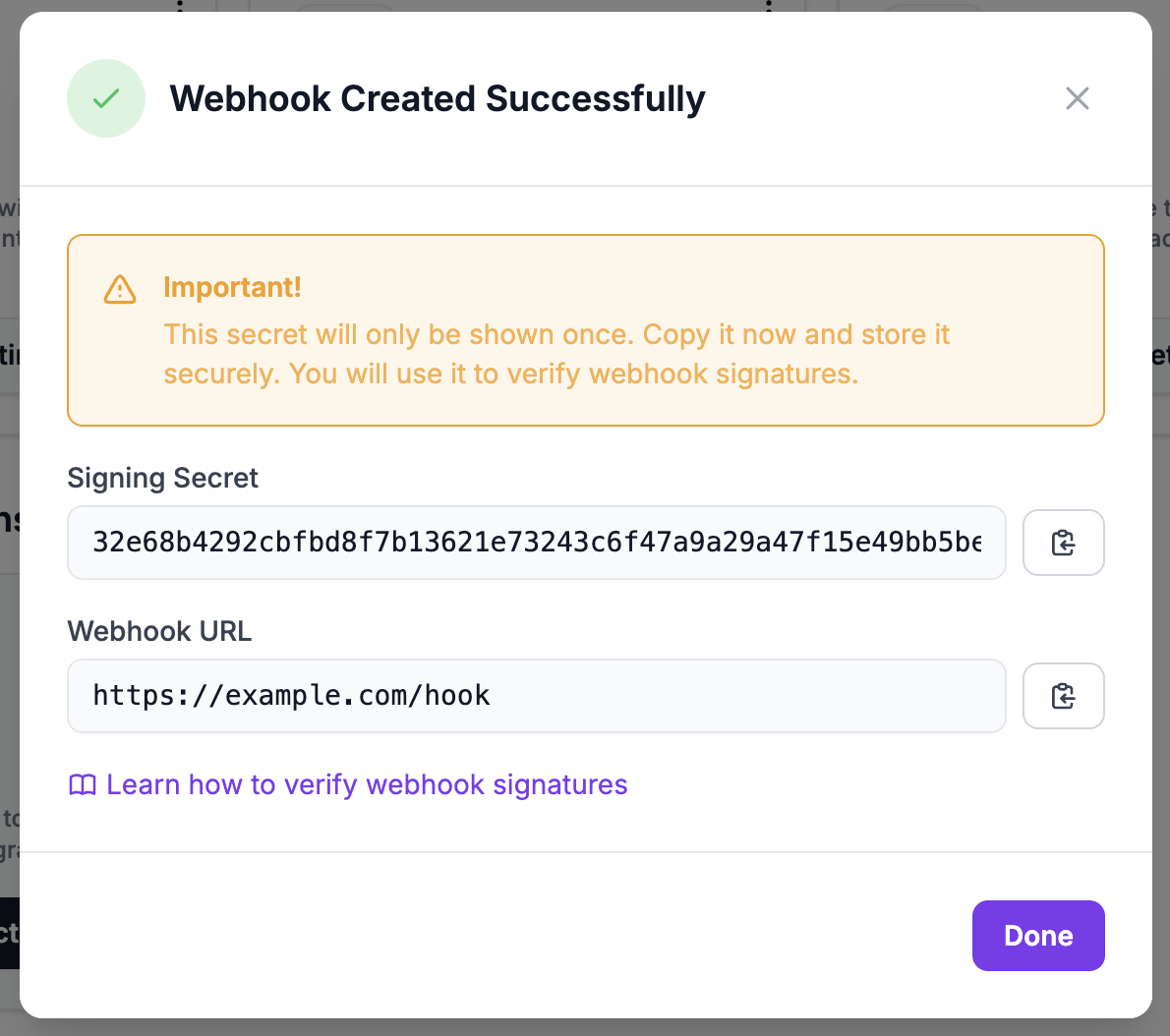
The signing secret is only shown once at creation time. If you lose it, you will need to regenerate it from the webhook settings, which invalidates the previous secret.
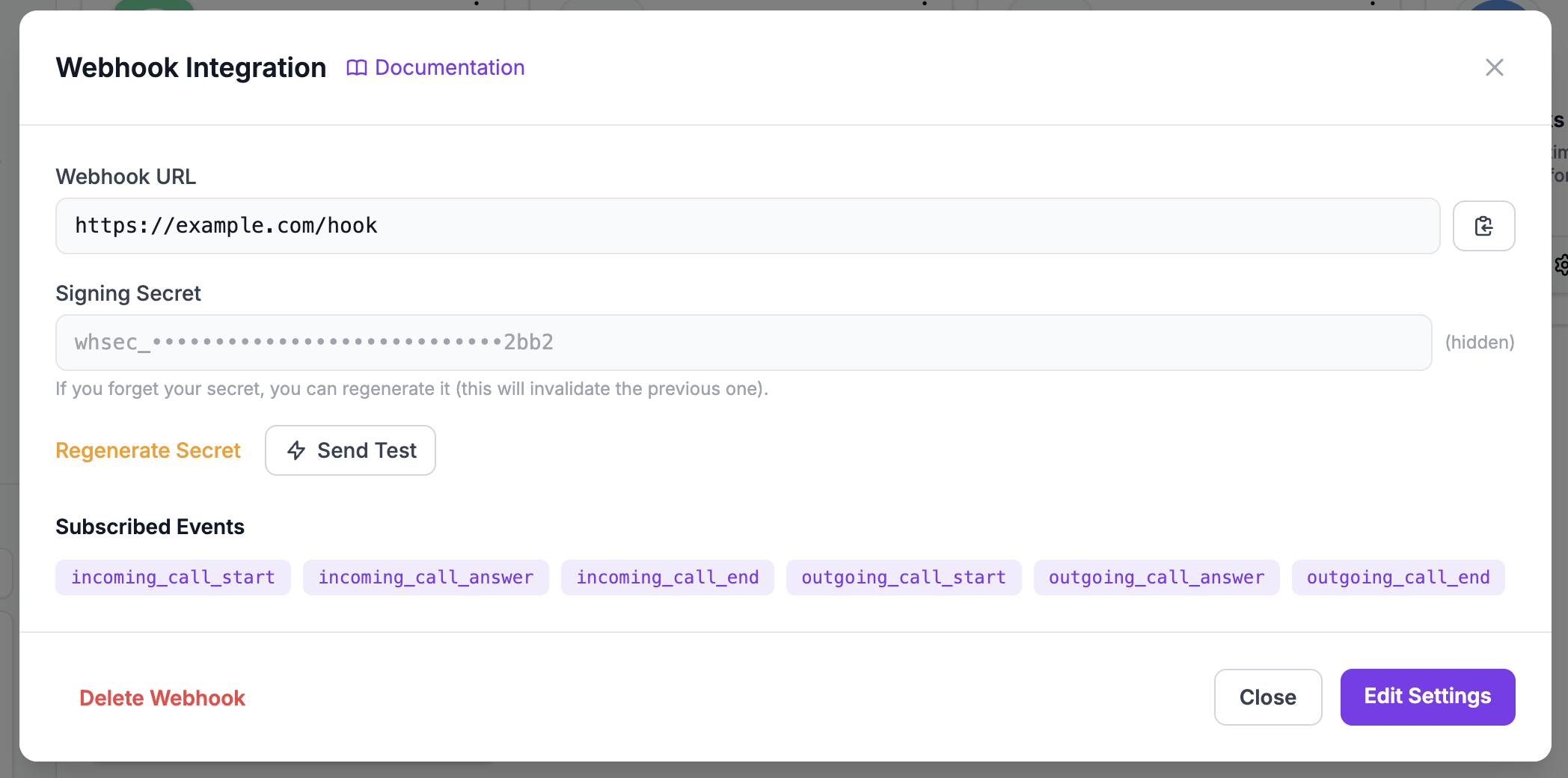
5. Manage Settings
You can view and update your webhook configuration at any time from the settings modal:
- View your webhook URL
- See the masked signing secret
- Change subscribed events
- Regenerate the signing secret (invalidates the previous one)
Testing Your Webhook
The quickest way to verify your endpoint is with the Send Test button:
- Open your webhook settings from the Integrations page
- Click the Send Test button
- SIPSIM sends a
testevent to your webhook URL - The dashboard shows whether the delivery succeeded or failed
The test payload looks like:
{
  "event": "test",
  "message": "This is a test webhook from SIPSIM. If you receive this, your endpoint is configured correctly.",
  "timestamp": "2025-01-15T10:30:00Z",
  "pbx_id": "test_000000"
}
The test event includes the same X-Webhook-Signature and X-Webhook-Timestamp headers as all other events, so you can also verify your signature verification implementation.
You can also test with a real event by enabling incoming_call_start and calling your SIPSIM phone number.
Next Steps
- Payload Format — Understand the structure of webhook payloads
- Signature Verification — Validate that requests come from SIPSIM
- Best Practices — Recommendations for reliable webhook processing